
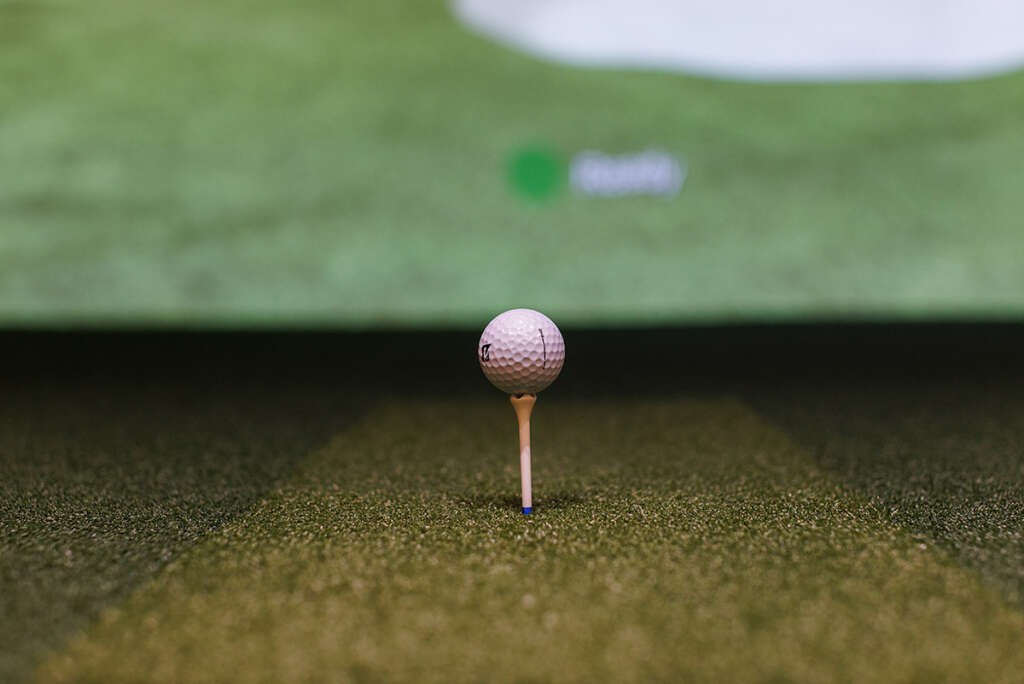
Finding the ideal golf simulator projector for your home can feel overwhelming when precision and visual realism are equally important. These specialized systems are not just about entertainment—they transform your space into a high-fidelity training environment, blending immersive course imagery with accurate performance tracking. With features like high-resolution displays and advanced sensor integration, the right projector elevates both your home theater and your golf game. Discover how thoughtful selection and placement make all the difference.
Table of Contents
- What Defines A Golf Simulator Projector
- Comparing Short Throw, Standard, And 4K Models
- Core Features For High-Fidelity Simulation
- Projector Placement And Space Requirements
- Cost, Longevity, And Integration Pitfalls
Key Takeaways
| Point | Details |
|---|---|
| High Luminosity and Resolution | Select a golf simulator projector with at least 3500 lumens and 1080p or 4K resolution for optimal imaging and realism. |
| Short Throw Projection Benefits | Consider a short throw projector for compact spaces, enabling large image projection from minimal distances without shadows. |
| Comprehensive Sensor Integration | Choose a simulator that includes advanced sensor technologies for detailed performance tracking and analysis. |
| Budget for Future Upgrades | Plan for ongoing maintenance and allocate 10-15% of your initial investment annually to ensure system performance and technology updates. |
What Defines a Golf Simulator Projector
A golf simulator projector represents far more than a standard home entertainment device. These specialized optical systems are engineered to transform indoor spaces into immersive golfing environments by delivering hyper-realistic course simulations and precise performance tracking. High-definition golf course projections enable homeowners to experience world-class golf venues without leaving their personal spaces.
The core characteristics of a sophisticated golf simulator projector encompass several critical technological elements:
- High Luminosity Display: Minimum 3000-4000 lumens for crisp, bright imagery
- Short Throw Projection Capabilities: Ability to generate large images from minimal distance
- High Resolution Outputs: Typically 1080p or 4K for exceptional visual detail
- Advanced Color Reproduction: Accurate course terrain and lighting representation
- Rapid Refresh Rates: Minimum 120Hz to capture precise ball movement
Beyond visual performance, these projectors integrate seamlessly with launch monitor technologies that capture intricate ball flight data. Precise ball tracking sensors analyze spin rates, trajectory, club head speed, and impact dynamics – transforming a simple projection into an interactive training experience.
Pro tip: Invest in a projector with at least 3500 lumens and verify its compatibility with popular golf simulation software to maximize your home golf experience.
Comparing Short Throw, Standard, and 4K Models
Golf simulator projectors come in three primary configurations, each offering unique advantages for home enthusiasts seeking the ultimate indoor golfing experience. Projector throw ratios) play a critical role in determining which model best suits your home golf setup, with each type presenting distinct installation and performance characteristics.
The three primary projector categories for golf simulators include:
- Short Throw Projectors
- Minimal installation distance required
- Ideal for compact spaces
- Throw ratio around 0.4 or less
- Reduces shadows and installation complexity
- Standard Throw Projectors
- Flexible placement options
- Require more room depth
- More traditional projection setup
- Suitable for larger dedicated simulation spaces
- 4K Projectors
- Ultra-high resolution imagery
- Superior visual fidelity
- Enhanced color reproduction
- Maximum detail for course simulation
Ultra-short projection technologies have dramatically transformed golf simulator installations, enabling homeowners with limited space to create immersive training environments. These advanced projectors can generate massive screen images from just inches away, eliminating traditional placement constraints.
Here’s a quick comparison of popular golf simulator projector types and their optimal use cases:
| Projector Type | Ideal Room Size | Key Advantage | Best For |
|---|---|---|---|
| Short Throw | Compact spaces | Easy installation, minimal shadows | Apartments, small homes |
| Standard Throw | Large rooms | Flexible placement, greater distance | Dedicated simulation rooms |
| 4K Ultra HD | Any size | Stunning detail, immersive visuals | Enthusiasts, training setups |
Pro tip: Measure your available room space precisely before selecting a projector, considering both throw distance requirements and screen dimensions to ensure optimal simulator performance.
Core Features for High-Fidelity Simulation
Advanced golf simulators transcend simple entertainment, representing sophisticated training systems that meticulously recreate real-world golfing experiences. Tri-tracking sensor technologies enable precise ball and swing analysis by combining multiple data capture methods, transforming home spaces into professional-grade training environments.
The critical components for high-fidelity golf simulation include:
- Sensor Technologies
- High-speed infrared cameras
- Multiple tracking point systems
- Instant swing and ball flight data
- Precision measurement capabilities
- Visual Simulation Elements
- High-definition projection screens
- Realistic course rendering
- Immersive environment design
- Accurate physics modeling
- Performance Tracking Features
- Club head speed measurement
- Ball spin and trajectory analysis
- Swing path visualization
- Comprehensive performance metrics
Advanced launch monitor systems provide granular insights into every aspect of a golfer’s performance, capturing nuanced data points that were previously impossible to measure in home environments. These sophisticated systems bridge the gap between casual practice and professional-level training.
Pro tip: Select a simulator with comprehensive sensor integration and software compatibility to ensure you can track and improve multiple aspects of your golf performance.
Projector Placement and Space Requirements
Creating the perfect home golf simulator demands meticulous spatial planning and strategic equipment positioning. Golf simulator room configurations require careful consideration of ceiling heights, swing clearance, and projector throw distances to ensure an optimal indoor golfing experience.
Key spatial considerations for simulator setup include:
- Vertical Clearance Requirements
- Minimum 9-foot ceiling height
- Unrestricted overhead swing space
- Accommodates full golf swing motion
- Prevents equipment or structural interference
- Horizontal Space Dimensions
- Recommended depth of 15-20 feet
- Minimum 10-foot width for comfortable setup
- Unobstructed hitting zone
- Allows full range of motion
- Projector Placement Strategies
- Short throw projectors recommended
- Minimal distance from impact screen
- Reduces shadow interference
- Maximizes usable room space
Advanced simulator placement techniques emphasize the importance of creating a dedicated space that balances technological requirements with functional ergonomics. Precise projector positioning can transform even compact rooms into immersive golf training environments.
Pro tip: Measure your available space precisely, including ceiling height and potential swing path, before investing in a golf simulator to ensure compatibility with your chosen equipment.
Cost, Longevity, and Integration Pitfalls
Investing in a home golf simulator represents a significant financial commitment that extends beyond initial purchase price. Simulation project complexities reveal intricate challenges involving technological integration, component durability, and long-term performance sustainability that homeowners must carefully evaluate.
The key cost and longevity considerations include:
- Initial Investment Factors
- High-end 4K projector costs
- Advanced launch monitor pricing
- Software and installation expenses
- Potential custom room modifications
- Technological Durability Concerns
- Lamp life and replacement cycles
- Software update compatibility
- Sensor system reliability
- Hardware obsolescence risks
- Integration Challenge Categories
- Component communication protocols
- Software platform synchronization
- Calibration complexity
- Performance consistency
Golf simulator technology investments demonstrate that higher upfront costs often correlate with improved long-term reliability and performance. Professional installation and periodic maintenance can significantly extend the functional lifespan of sophisticated simulation systems.
Below is a summary of major investment factors to consider for a home golf simulator:
| Expense Category | Typical Cost Range | Long-Term Consideration |
|---|---|---|
| Projector Hardware | $800 – $5,000+ | Replacement cycles, tech upgrades |
| Launch Monitor | $1,500 – $7,000+ | Sensor maintenance, calibration |
| Software | $300 – $2,000+ | Annual updates, compatibility |
| Installation/Room Mods | $500 – $5,000+ | Space longevity, layout flexibility |
Pro tip: Budget for ongoing maintenance and potential technology upgrades, allocating approximately 10-15% of your initial investment annually to ensure continued system performance and relevance.
Elevate Your Home Golf Simulator Experience with Expert Integration
Choosing the right golf simulator projector can feel overwhelming due to complex throw distances, projector types, and space constraints. The article highlights common challenges like matching short throw projectors to compact rooms and ensuring sensor compatibility for accurate ball tracking. If you want to avoid pitfalls such as poor image quality, shadow interference, or costly integration issues you need a solution designed for your unique space and performance goals.
At Atlanta Home Theater we specialize in creating immersive golf simulators that combine advanced projector technologies with seamless smart home integration. Our experienced team understands the critical factors like projector placement, high luminosity requirements, and sensor system synchronization that bring your simulator room to life. Explore expert insights and inspiration in our Sound Advice Archives – Atlanta Home Theater and let us help you select the perfect setup for your home.
Ready to transform your space with a professionally designed golf simulator that maximizes performance and style Visit Atlanta Home Theater today Schedule your personalized consultation to unlock unparalleled golf experiences without stepping outside your door.
Frequently Asked Questions
What are the advantages of using short throw projectors for golf simulators?
Short throw projectors are ideal for compact spaces as they require minimal installation distance, reducing shadows and installation complexity. This makes them perfect for apartments and smaller homes.
How do 4K projectors enhance the golf simulation experience?
4K projectors provide ultra-high resolution imagery with superior visual fidelity and enhanced color reproduction, allowing for maximum detail in course simulation, elevating the overall immersive experience.
What should I consider when measuring space for a golf simulator projector?
When measuring space, consider vertical clearance requirements (minimum 9-foot ceiling height), horizontal dimensions (recommended depth of 15-20 feet and minimum 10-foot width), and ensure unobstructed hitting zones for full range of motion.
What are key factors that affect the cost of a home golf simulator?
Key cost factors include the initial investment in hardware such as a projector and launch monitor, software expenses, installation costs, and potential custom modifications to the room layout.