
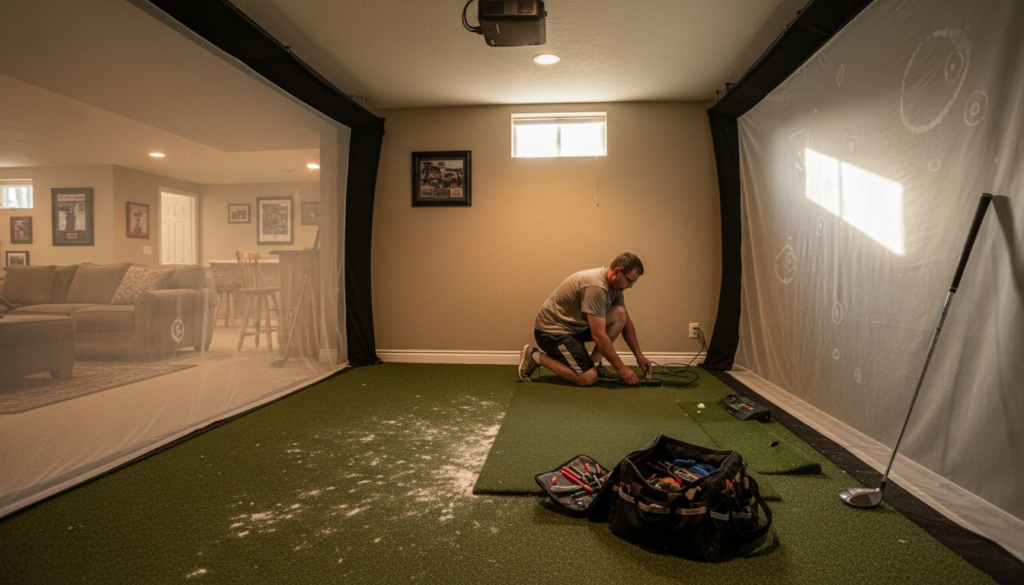
Market-leading golf simulators deserve more than just casual upkeep to truly shine in Atlanta homes. Protecting this luxury investment means embracing a routine tailored to advanced technology and sophisticated equipment, not just simple cleaning. With maintenance standards designed to keep performance consistent and budgets in check, focusing on preventive strategies and regular care empowers you to enjoy flawless play and maximize your system’s longevity.
Table of Contents
- Defining Golf Simulator Maintenance Essentials
- Key Components and Typical Lifespan
- Routine Cleaning for Screens and Sensors
- Calibration and Software Updates Procedures
- Environmental Control and Safety Precautions
- Avoiding Costly Repairs and Common Pitfalls
Key Takeaways
| Point | Details |
|---|---|
| Maintenance is Essential | Regular maintenance ensures optimal performance and longevity of golf simulators. Follow structured protocols for upkeep and professional assessments. |
| Component Lifespan Awareness | Understanding typical lifespans of key components helps in planning proactive replacements and maintenance efforts. Keep a log for tracking performance metrics and service history. |
| Cleaning Protocols Matter | Utilize specialized cleaning tools and techniques to preserve sensitive components, avoiding standard household cleaning methods that may cause damage. Regular cleaning is essential. |
| Environmental Control is Key | Maintain proper temperature and humidity levels, and employ electrical protections to safeguard the simulator’s functionality. Monitoring systems can help track conditions effectively. |
Defining Golf Simulator Maintenance Essentials
Golf simulator maintenance represents a strategic approach to protecting your high-end home entertainment investment. Unlike traditional exercise equipment, golf simulators require specialized care to ensure optimal performance, technology functionality, and long-term reliability. Maintenance standards serve as critical guidelines for homeowners seeking to preserve their sophisticated electronic systems.
Effective maintenance encompasses several key areas: environmental control, technological calibration, surface preservation, and routine diagnostic checks. Homeowners must monitor humidity levels, protect sensitive projection and tracking equipment from dust and temperature fluctuations, and ensure precise sensor alignments. Proper cleaning protocols involve using specialized microfiber cloths, avoiding liquid cleaners near electronic components, and maintaining a consistent climate-controlled environment that prevents potential system degradation.
The core maintenance strategy involves creating a structured approach that addresses both preventative care and potential performance optimization. This includes quarterly technical assessments, annual sensor recalibration, and systematic software updates. Professional technicians recommend tracking system performance metrics, checking projection screen tensions, verifying sensor accuracy, and maintaining a clean, stable environment to maximize your golf simulator’s lifespan and performance potential.
Pro tip: Invest in a professional annual maintenance inspection to catch potential technical issues before they become costly repairs and preserve your simulator’s peak performance capabilities.
Key Components and Typical Lifespan
Modern golf simulators are sophisticated systems composed of multiple critical components, each with unique performance characteristics and expected longevity. These complex technological setups integrate advanced hardware and software elements that require strategic understanding to maximize their operational potential. Infrastructure life cycles demonstrate that planned maintenance can significantly extend equipment performance and reliability.
The primary components of a high-end golf simulator include projection systems, tracking sensors, impact screens, software platforms, and structural frameworks. Projection systems typically last 5-7 years with proper care, while high-quality tracking sensors can maintain precision for 8-10 years. Impact screens have an average lifespan of 7-10 years, depending on usage intensity and environmental conditions. Software platforms require more frequent updates, with major platform replacements recommended every 3-5 years to ensure compatibility with emerging technologies and performance improvements.
Maintaining these components involves understanding their individual maintenance requirements and implementing proactive care strategies. Tracking sensors, for instance, demand periodic calibration to ensure accuracy, while projection systems require careful environmental management to prevent dust accumulation and potential optical degradation. Professional technicians recommend annual comprehensive system assessments that include detailed diagnostic checks of each component, allowing early detection of potential performance issues before they escalate into expensive repairs.
Pro tip: Create a dedicated maintenance log tracking each component’s performance, replacement dates, and service history to optimize your golf simulator’s long-term functionality and identify potential upgrade opportunities.
Here’s a quick summary of typical maintenance needs for major golf simulator components:
| Component | Key Maintenance Task | Typical Frequency |
|---|---|---|
| Projection System | Dust removal & filter check | Monthly |
| Tracking Sensors | Alignment and calibration | Annually |
| Impact Screen | Surface dusting/cleaning | Weekly/Monthly |
| Software Platform | Updates & backups | Quarterly |
| Structural Frame | Stability check & cleaning | Annually/As needed |
Routine Cleaning for Screens and Sensors
Maintaining the precision and performance of golf simulator screens and sensors requires a meticulous and systematic approach to routine cleaning protocols. Professional golf simulator owners must understand that these delicate technological components demand specialized care far beyond standard household cleaning techniques, with each surface and sensor requiring unique treatment to preserve their functionality and extend their operational lifespan.
For impact screens, the cleaning process involves several critical steps. Begin with a soft, lint-free microfiber cloth to remove surface dust without applying excessive pressure. Avoid standard cleaning solutions, which can damage projection screen materials. Instead, use manufacturer-recommended cleaning agents specifically designed for high-tension projection surfaces. Tracking sensors require even more delicate handling, with compressed air being the preferred method for removing accumulated dust. Gentle, short bursts from at least six inches away will prevent potential damage to sensitive electronic components.
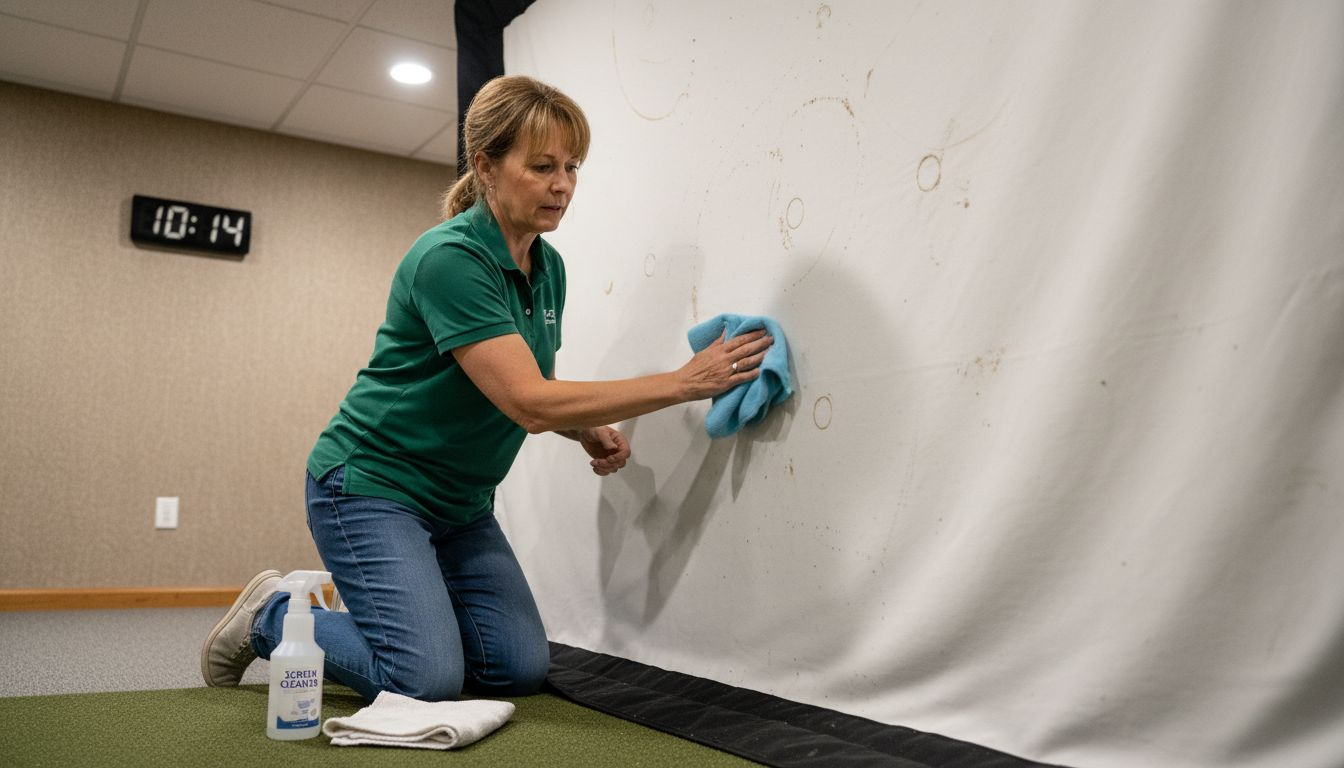
Establishing a consistent cleaning schedule is paramount for maintaining your golf simulator’s performance. Recommended frequencies include weekly surface dusting, monthly comprehensive cleaning, and quarterly detailed inspections. Specialized cleaning tools such as anti-static microfiber cloths, compressed air canisters, and sensor-safe cleaning solutions should be part of your maintenance kit. Always power down and unplug electronic components before cleaning, and never apply liquid directly to sensors or electronic interfaces. Professional technicians emphasize the importance of gentle, methodical cleaning techniques that prioritize equipment preservation over aggressive cleaning methods.
Pro tip: Create a dedicated cleaning station with specialized tools and manufacturer-approved cleaning solutions to ensure consistent, safe maintenance of your golf simulator’s sensitive components.
Compare these common cleaning challenges and the best preventative measures:
| Challenge | Primary Risk | Best Preventative Action |
|---|---|---|
| Sensor dust accumulation | Reduced tracking accuracy | Use compressed air monthly |
| Screen staining | Image quality loss | Only use recommended cleaning agents |
| Electrical residue buildup | Short circuits | Power down before cleaning |
| Improper solution use | Surface or tech damage | Confirm cleaner is manufacturer-safe |
Calibration and Software Updates Procedures
Ensuring optimal performance of your golf simulator requires a systematic approach to instrument calibration planning. Professional-grade golf simulators demand precise technological alignment that goes beyond basic maintenance, integrating sophisticated software updates and sensor recalibration to maintain accuracy and performance standards.
The calibration process involves multiple critical steps for different simulator components. Tracking sensors require annual professional recalibration to maintain positional accuracy within millimeter-level tolerances. This typically involves using specialized alignment tools and reference points to reset sensor positioning and compensate for potential drift. Software updates should be approached strategically, with manufacturers typically releasing performance patches and feature enhancements quarterly. Homeowners should establish a systematic update schedule, prioritizing official manufacturer releases and avoiding third-party modification packages that could compromise system integrity.
Implementing a comprehensive maintenance protocol demands meticulous documentation and scheduling. Create a dedicated digital maintenance log tracking each calibration session, software version, and performance metrics. Professional technicians recommend establishing a standardized workflow that includes pre-update system backups, thorough performance testing after each calibration, and maintaining a consistent update schedule. Advanced golf simulator owners should consider creating redundant system configurations that allow seamless rollback in case of unexpected software compatibility issues or performance degradation.
Pro tip: Schedule automatic software update checks quarterly and maintain a separate backup system configuration to ensure uninterrupted simulator performance and quick recovery from potential technical complications.
Environmental Control and Safety Precautions
Managing the environment around your golf simulator is crucial for maintaining optimal performance and protecting your technological investment. Safety planning strategies extend beyond basic temperature control, encompassing comprehensive protection against potential environmental hazards that could compromise sensitive electronic systems.
Temperature and humidity represent the most critical environmental factors affecting golf simulator performance. Ideal conditions require maintaining room temperatures between 68 and 72 degrees Fahrenheit, with relative humidity levels consistently between 40% and 50%. Electrical protection becomes paramount, necessitating high-quality surge protectors and dedicated electrical circuits to prevent potential voltage fluctuations. Strategic placement of your simulator away from direct sunlight, heating vents, and external walls minimizes potential thermal stress on electronic components. Advanced owners should consider installing humidity control systems or dehumidifiers to maintain precise environmental parameters.
Safety precautions extend beyond environmental controls to include physical space management and electrical considerations. Ensure adequate clearance around the simulator for safe equipment operation, with recommended minimum spaces of 10 feet wide by 12 feet deep. Install ground fault circuit interrupters (GFCIs) near the simulator area, implement cable management systems to prevent tripping hazards, and maintain clear pathways for emergency exits. Professional installations should include comprehensive electrical assessments to verify proper grounding, circuit load capacity, and potential interference sources that could impact simulator performance.
Pro tip: Install a dedicated environmental monitoring system with mobile alerts to track temperature, humidity, and electrical conditions in your golf simulator space, enabling proactive maintenance and immediate response to potential environmental threats.
Avoiding Costly Repairs and Common Pitfalls
Protecting your golf simulator investment requires strategic foresight and understanding of potential maintenance facility challenges. Professional golf simulator owners must anticipate and mitigate risks that could compromise system performance, potentially saving thousands in unnecessary repair expenses.
The most prevalent pitfalls stem from neglecting routine maintenance and misunderstanding technological vulnerabilities. User errors represent a significant risk factor, including improper handling of sensors, inappropriate cleaning techniques, and overlooking software update requirements. Common mistakes include using incorrect cleaning solutions, failing to manage environmental conditions, and ignoring subtle performance degradation signs. Tracking sensor misalignment, projection screen tension issues, and software compatibility problems can escalate quickly from minor inconveniences to expensive system failures if not addressed promptly.
Developing a proactive maintenance strategy involves comprehensive documentation, regular professional assessments, and creating redundant system configurations. Implement a digital maintenance log tracking every calibration session, performance metric, and potential issue. Professional technicians recommend establishing a standardized workflow that includes pre-emptive system backups, thorough performance testing after each maintenance cycle, and maintaining a consistent update schedule. Advanced golf simulator owners should consider creating backup system configurations that allow seamless recovery in case of unexpected technical complications or performance degradation.
Pro tip: Develop a dedicated digital maintenance tracking system with automated performance alerts and scheduled professional inspections to preemptively identify and resolve potential simulator system vulnerabilities.
Protect Your Golf Simulator Investment with Expert Home Solutions
Maintaining a golf simulator requires precise environmental control, regular cleaning, sensor calibration, and software updates to avoid costly repairs and performance issues. Many homeowners struggle with managing these technical upkeep demands while also protecting sensitive electronic components from dust, humidity, and electrical risks. The pain points of avoiding sensor misalignment, maintaining projection screens, and scheduling professional maintenance highlight the need for seamless integration and expert care.
At Atlanta Home Theater, we combine over 25 years of experience with a team of highly trained professionals to deliver custom golf simulator installations paired with smart home solutions that simplify maintenance challenges. From automated climate control that keeps your system running flawlessly to professional calibration services, our solutions protect your investment while enhancing your home entertainment experience. Discover more tips and expert guidance in our Sound Advice Archives – Atlanta Home Theater and learn how to keep technology performing at its best.
Take control of your golf simulator’s longevity today. Visit Atlanta Home Theater to schedule a consultation with our experts and transform your setup with tailored maintenance support and smart integration that keeps your simulator pristine and ready for play.
Frequently Asked Questions
What are the essential maintenance tasks for a golf simulator?
Essential maintenance tasks include regulating environmental conditions, calibrating tracking sensors, maintaining projection systems, cleaning impact screens, and keeping software updated to ensure optimal performance and longevity.
How often should I recalibrate the tracking sensors in my golf simulator?
Tracking sensors should be calibrated annually to maintain accuracy and ensure precise readings during use. This process typically requires professional assistance to achieve millimeter-level precision.
What are the common mistakes to avoid when maintaining my golf simulator?
Common mistakes include using incorrect cleaning solutions on sensitive components, neglecting to monitor environmental conditions, and overlooking routine software updates, which can lead to performance issues or costly repairs.
How can I create a consistent cleaning routine for my golf simulator’s screens and sensors?
Establish a cleaning schedule that includes weekly surface dusting, monthly comprehensive cleanings, and quarterly detailed inspections. Use manufacturer-approved cleaning solutions and specialized tools to safely maintain sensitive components.
Recommended
- Golf Simulators 101: Key Features to Look for in a Luxury Setup – Atlanta Home Theater
- 7 Key Golf Simulator Benefits for Smart Homeowners – Atlanta Home Theater
- Golf Simulators: How Technology Recreates Real Courses – Atlanta Home Theater
- Golf Simulation Family Rooms: A Complete Guide – Atlanta Home Theater