
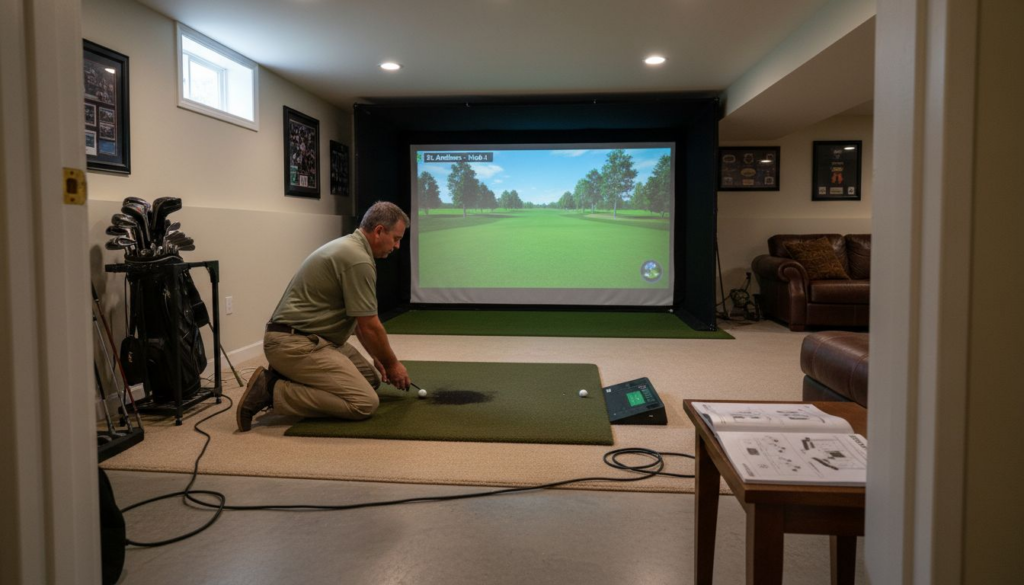
Upgrading your Atlanta home with cutting-edge golf simulator software unlocks a world of entertainment and skill development without ever leaving your living room. Choosing the right system goes far beyond aesthetics, as even small differences in space, ceiling height, and lighting impact both performance and daily enjoyment. This guide navigates through the most important considerations, helping you make a confident choice that enhances your property and fits seamlessly within your unique space and lifestyle. For busy homeowners, investing in the right features and integrations from the start means more time playing and less time troubleshooting.
Table of Contents
- Step 1: Assess Your Space And Technical Needs
- Step 2: Identify Essential Features And Integrations
- Step 3: Research Leading Software Options
- Step 4: Compare Performance And User Reviews
- Step 5: Test Compatibility And Finalize Choice
Quick Summary
| Key Point | Explanation |
|---|---|
| 1. Assess Space and Technical Needs | Measure room dimensions and lighting to ensure proper simulator setup and functionality. |
| 2. Identify Essential Software Features | List must-have features like shot tracking and course simulation to meet specific needs. |
| 3. Research Software Options | Engage with user communities and review platforms to find trusted software insights. |
| 4. Test Compatibility Before Purchase | Use trial versions to confirm that the software works well with your hardware setup. |
| 5. Evaluate User Feedback | Look for consistent reviews across platforms to gauge accuracy and performance reliability. |
Step 1: Assess Your Space and Technical Needs
Before you spend money on golf simulator software, you need to understand what your space can actually handle and what technical requirements your home setup demands. This assessment protects your investment by ensuring the software you choose works with your physical environment and existing infrastructure. Think of it as taking the measure of your home before committing to a purchase.
Start by measuring your room dimensions, particularly length, width, and ceiling height. Golf simulators need adequate space to capture your swing accurately. A typical setup requires at least 10 feet of depth for the swing area, though more is better. Width matters less than depth, but you still want at least 7 to 8 feet of clear space. Ceiling height is critical because the sensor array and screen mounting need clearance above your head. Most systems work well with 9 feet or higher, though some compact systems tolerate lower ceilings. Document these measurements before researching software options. Lighting conditions in your space will influence how well sensors track your movement and club position. Bright natural light can interfere with camera-based systems, while poor lighting can degrade accuracy. Consider whether you can control ambient light through shades or dimming.
Next, evaluate your technical infrastructure. Software requirements encompassing functional and non-functional specifications determine compatibility with your hardware. Functional requirements describe what the software actually does, like tracking shot distance and simulating specific courses. Non-functional requirements cover performance speeds, how the interface looks and feels, and whether everything works together smoothly. Check your internet connection quality and speed. Most golf simulators need stable broadband with at least 10 Mbps download speed, though faster is safer. Test your current speed using a free online tool if you’re uncertain. Identify your available power outlets and their proximity to where you’ll install the system. You may need to add circuits or outlets depending on the equipment’s power demands.
Consider the existing infrastructure and technical capabilities your room already provides before adding new systems. Does your space have existing mounting points for screens? Can you easily run cables without creating tripping hazards? What about ventilation for equipment that may generate heat during use? Assess whether you’ll need additional hardware like a dedicated gaming PC, projector, screen, or sensor array. Some software works only with specific equipment brands, while others offer flexibility. Document all these findings in a simple spreadsheet or note on your phone. This becomes your checklist when evaluating actual software options.
Also think about who will use your simulator and how often. A casual user might tolerate longer setup times or less precise shot tracking, while serious golfers demand accuracy within a few yards. Family entertainment setups benefit from intuitive interfaces that don’t require instruction manuals, whereas dedicated players might accept steeper learning curves for tournament-grade features.
Here’s a summary of factors affecting golf simulator software selection:
| Decision Factor | Why It Matters | Typical Range/Requirement |
|---|---|---|
| Room Depth | Ensures full swing capture | Minimum 10 feet recommended |
| Ceiling Height | Allows safe sensor placement | At least 9 feet ideal |
| Lighting Conditions | Affects tracking accuracy | Adjustable or controllable |
| Internet Speed | Supports online features | Minimum 10 Mbps advisable |
| User Skill Level | Influences necessary features | Casual to advanced golfers |
Pro tip: Contact a home automation specialist before finalizing your space assessment, as they can identify hidden electrical capacity, recommend optimal sensor placement, and spot potential interference sources you might miss on your own.
Step 2: Identify Essential Features and Integrations
Now that you understand your physical and technical constraints, it’s time to determine which features actually matter for your situation and how the software fits into your broader home ecosystem. Getting this right means you’ll choose software that grows with your needs instead of becoming a limitation down the road.

Start by listing the core features you actually need versus those that sound nice but won’t get used. Shot tracking is fundamental for most setups because it captures swing data like distance, accuracy, and ball flight characteristics. Course simulation matters if you want variety and the ability to play famous tracks virtually. User profile management lets multiple family members maintain their own scores and preferences, which matters for households with more than one golfer. Practice modes are valuable for skill improvement, while multiplayer functionality appeals to competitive players. Ask yourself which of these you’ll genuinely use at least weekly. A casual player who swings once or twice a month might prioritize simple interfaces and minimal setup time, while someone training seriously needs precision analytics and detailed feedback. Write down your top three non-negotiable features. Everything else is bonus content.
Understanding software integration principles ensures seamless connectivity between your simulator and other systems you own or plan to add. Your golf simulator software needs to work well with swing analyzer tools, various sensor types and cameras, and platforms that handle data management or game tracking. Think about what other smart home systems you already use. Some software integrates directly with popular platforms, while others require workarounds or third-party apps. This matters because fragmented systems create frustration. You want to control your simulator through the same interface as your lighting and climate if possible. Ask software vendors directly about compatibility with your existing devices before purchasing.
Look for software built on modular design principles that support extensible features and future add-ons. Software designed with good engineering practices makes it easier to add new capabilities later without replacing everything. Can you upgrade the shot tracking module separately? Can you add new courses through updates? Does the software support third-party plugins or extensions? This flexibility protects your investment because technology changes quickly. Software that locked you into a specific hardware setup three years ago might feel outdated today, but modular architecture adapts more gracefully.
Consider the company behind the software too. How often do they release updates? Do they actively develop new courses and features? What’s their customer support like? Reading reviews from Atlanta area users gives you insight into real-world performance and how responsive the company is to local conditions like humidity and temperature fluctuations that affect equipment.
Finally, test before committing when possible. Many software companies offer trial periods or demo versions. Spend time with the interface. Does it feel intuitive or clunky? Does the shot tracking accuracy match what you need? Can you easily access the features you identified as essential? A beautiful interface means nothing if you can’t find core functions.
Pro tip: Create a spreadsheet comparing your top software choices with columns for each essential feature, integration capabilities, update frequency, and trial availability, then score each on a 1 to 5 scale to remove emotion from the decision-making process.
Step 3: Research Leading Software Options
With your requirements clearly defined, you’re ready to explore what’s actually available in the market. This research phase transforms your feature list and technical specifications into real software choices you can evaluate and compare.
Begin your research by visiting dedicated golf simulator communities and forums where experienced users share honest feedback about different platforms. Reddit communities focused on home golf setups, golf simulator Facebook groups, and dedicated enthusiast websites offer unfiltered perspectives from people who use these systems daily. These sources reveal common problems, workarounds, and long-term satisfaction levels that marketing materials gloss over. You’ll discover which software requires frequent troubleshooting and which runs smoothly for months without attention. Pay attention to reviews from Atlanta-area users specifically because they understand local humidity levels, electrical infrastructure, and climate considerations that affect performance in your region. Someone in Arizona might report different experiences than someone in the Southeast.
Look for software platforms with active development and reliable firmware updates that demonstrate commitment to longevity. Software receiving regular updates indicates the company actively maintains compatibility with new devices, fixes discovered bugs, and improves performance. Check the update history for your top candidates. Have they released updates in the past three months? Six months? A year? Software stuck in maintenance mode without fresh development might work fine today but could become incompatible with your devices or outdated within a few years. Community support matters equally. Does the company respond to user questions quickly? Do they have active forums or Discord channels where users help each other troubleshoot problems? A responsive community can make the difference between frustration and smooth operation.
Consult comprehensive software archives and review platforms that catalog various golf simulation games and management options. These resources provide comparative overviews showing features, compatibility requirements, and user ratings for multiple products. You’ll see patterns emerge about which software excels at specific functions. Some options prioritize realistic physics and accurate course simulations, while others emphasize social features and competitive gameplay. Read multiple reviews of the same product to identify consistent themes. If twenty reviewers mention shot tracking accuracy and five mention interface issues, the accuracy claim carries more weight.
Compare pricing models carefully. Some software charges upfront, others use subscription models, and some bundle costs into hardware packages. Calculate your total cost of ownership over three to five years. A software platform costing more monthly might offer better value if it includes regular updates and course additions you’d otherwise purchase separately. Check whether trial versions exist for your finalists. Most reputable software companies offer 30-day free trials or demo periods where you can test the interface and features before committing money. This is invaluable because reading reviews differs from actually using the software yourself.
Create a comparison document tracking software name, core features, compatibility with your equipment, update frequency, community support rating, and pricing. Leave room for your personal impressions after testing trials. This organized approach prevents decision fatigue and keeps you focused on objective criteria rather than marketing hype.
Pro tip: Contact Atlanta Home Theater directly to ask which software options integrate best with smart home automation systems, as their expertise with local installations reveals compatibility issues that generic online reviews might miss.
Below is a quick comparison of software evaluation criteria for golf simulators:
| Evaluation Criteria | Impact on User Experience | Example Method of Assessment |
|---|---|---|
| Update Frequency | Keeps software current and secure | Check release history |
| Community Support | Eases troubleshooting | Visit forums and help channels |
| Trial Availability | Enables hands-on testing | Explore demo or trial periods |
| Integration Options | Ensures smart home compatibility | Review device/platform lists |
Step 4: Compare Performance and User Reviews
Now you’re ready to dig into the real-world feedback and performance data that separates software that works beautifully from software that frustrates you daily. User reviews reveal truths that feature lists and marketing claims never capture.
Start by searching for reviews across multiple platforms rather than relying on a single source. Check the software company’s official website, independent review sites, Amazon listings, YouTube demonstration videos, and golf simulator enthusiast forums. Different platforms attract different reviewer types, so you’ll get a more complete picture by cross-referencing. Someone reviewing on Amazon might emphasize ease of setup, while a specialized golf forum reviewer might focus on shot tracking accuracy. When you see consistent complaints across platforms, take them seriously. If five independent reviewers mention that shot detection fails under certain lighting conditions, that’s a real issue you need to understand. Conversely, if one reviewer complains about something no one else mentions, it might be their specific situation rather than a widespread problem.
When reading reviews, verify authenticity using principles from evaluating online reviews and checking reviewer credibility. Look at reviewer profiles to see if they’re established users with history or brand-new accounts posting single reviews. Examine the language and specificity. Genuine reviews typically mention concrete details like specific features, pricing, setup time, and real problems encountered. Fake or promotional reviews often use generic praise or vague language. Check the review date too. A glowing five-star review from 2019 matters less than current feedback about recent software versions. Companies that receive mostly positive recent reviews but had serious complaints a year ago have likely fixed underlying issues.
Pay special attention to reviews addressing your specific situation. If you’re planning to use the simulator in a basement with limited ceiling height, find reviews from other users in similar conditions. If you plan to integrate the software with a smart home system, search for reviews mentioning integration experiences. Readers testing the software in Atlanta’s humid climate provide more relevant insights than reviews from dry climates where equipment behaves differently. Performance data matters as much as opinions. Industry analyses covering golf simulator technological improvements and user satisfaction offer validated performance indicators and emerging innovations that help you assess products objectively. These authoritative sources synthesize multiple user experiences into broader patterns about reliability and advancement.
Look for common themes in both positive and negative reviews. Tally mentions of the same features or problems across ten reviews. If eight reviews praise shot tracking accuracy but three mention occasional glitches, that tells you the system is mostly reliable with occasional hiccups. If multiple reviewers mention the interface improves after a learning curve, expect complexity initially. Create a simple scoring system where you tally positive and negative mentions for each software option. Software mentioned positively by 80 percent of reviewers carries more weight than software with 60 percent positive mentions.
Don’t ignore negative reviews. They’re often the most valuable because they reveal genuine disappointments. Read one-star and two-star reviews carefully. Some reveal legitimate dealbreakers while others describe situations that won’t apply to you. A reviewer complaining about a subscription cost increase matters if you prioritize low long-term costs. A reviewer frustrated with customer support when they had setup questions matters if you anticipate needing assistance. Separate criticisms reflecting your priorities from criticisms reflecting someone else’s different needs.
Finally, watch video reviews and demonstrations. Seeing the interface in action matters more than reading descriptions. YouTube creators showing actual gameplay, shot tracking results, and user interface navigation give you visual understanding that text reviews cannot provide. Pay attention to whether the software looks responsive or sluggish, whether menus feel intuitive, and whether the overall experience appears polished or rough around the edges.
Pro tip: When reading reviews, mentally score each software on three criteria equally: accuracy performance, software reliability, and user interface quality, then average those scores to identify your top choice rather than being swayed by a single glowing review.
Step 5: Test Compatibility and Finalize Choice
You’re almost there. Before committing your money and time, you need to verify that your chosen software actually works with your specific equipment and space. This testing phase prevents expensive mistakes and ensures smooth operation from day one.
Start by downloading trial versions of your top two or three software candidates. Most reputable companies offer 30-day free trials with full functionality, though some limit trial periods to 14 days or restrict certain features. Install each one on your computer or primary device and spend real time with the interfaces. Don’t just click around for five minutes. Actually use the software as you would after purchase. Hit some virtual shots. Navigate the menu structure. Try changing settings. Look for responsiveness and smoothness in how the interface behaves. Does it feel fast or sluggish? Do menus load instantly or do you wait for things to appear? These small details accumulate into frustration or satisfaction over months of use.
Test compatibility across your specific hardware including operating systems and peripheral devices to prevent malfunctions and operational issues. Check that the software runs on your computer’s operating system without crashes. If you’re using Windows, test on your specific Windows version because software sometimes behaves differently on Windows 10 versus Windows 11. Connect your sensors, cameras, or controllers during the trial period to verify they communicate properly with the software. This is where many hidden problems emerge. Software might display perfectly on your monitor but fail to detect your sensor array. The software description might claim compatibility with your brand of projector, but the actual integration requires additional configuration you didn’t anticipate. Testing during the trial period reveals these issues before you’ve spent money.
Verify that firmware updates align with your hardware to maintain system stability and prevent compatibility problems. Check the software company’s support page to see what firmware version your hardware currently runs and whether updates are available. Ask whether the trial version uses the same firmware as the production software or if you’ll need to update after purchase. Some users discover that updates break existing functionality or require purchasing additional components for compatibility. Understanding this before committing prevents unpleasant surprises. Contact the software company’s support team with your specific equipment list and ask directly whether they’ve tested this exact combination. Responsive companies provide clear answers. Companies that are evasive or slow to respond suggest you might face challenges later when you need assistance.
Set up your trial in conditions that match your actual installation. If your simulator will be in a basement with low lighting, test the trial in similar low-light conditions. If your space has particular humidity levels, understand how the software performs in those conditions. If you plan to use the simulator with multiple users, test the profile-switching features. This realistic testing reveals whether the software adapts well to your specific situation.
During your trial, also verify that customer support is accessible when you have questions. Send an email to support asking a genuine question about a feature you’re exploring. Time how long it takes for a response. Try their support phone line if one exists. Check for active community forums or Discord channels where you can ask questions and get answers from other users. Support quality matters tremendously when issues arise after purchase.
Create a final evaluation comparing how you felt using each software during the trial period. Rank them on installation ease, interface intuitiveness, performance smoothness, feature accessibility, shot tracking responsiveness, and customer support quality. Weight these criteria by importance to your situation. Someone prioritizing visual realism might weight graphics quality heavily, while someone focused on swing analysis weights tracking accuracy more heavily. The software scoring highest across your weighted criteria becomes your choice.
Make your purchase decision only after the trial period ends and you’ve had time to reflect. Don’t buy impulsively. Sleep on the decision and confirm it still feels right the next day. Once you’ve committed to a software platform, you’ll live with that choice for years, so getting this right matters.
Pro tip: Before purchasing, ask the software vendor in writing to confirm their commitment to firmware updates and hardware compatibility for the next three years, then save their response so you have documentation of their support promises.
Elevate Your Home Golf Simulator Experience with Expert Integration
Selecting the right golf simulator software is crucial to creating an immersive and seamless home golf setup. This article highlights the challenges of matching software features to your room dimensions, lighting, and technical needs while ensuring smooth integration with your existing smart home ecosystem. At Atlanta Home Theater, we understand the frustration of investing in technology that does not perform optimally or integrates poorly with your home environment. Whether you need precise shot tracking, intuitive user profiles, or flawless sensor connectivity, our dedicated team specializes in custom golf simulator installations tailored to your unique space and technical requirements.
Don’t settle for guesswork or generic solutions. Explore expert insights and practical tips in our Sound Advice Archives – Atlanta Home Theater and begin your journey toward a truly professional-grade golf simulator experience. Ready to bring your vision to life and enjoy seamless automation and stunning audiovisuals? Schedule your consultation today at Atlanta Home Theater and take the first step toward transforming your space with the latest in home theater and golf simulation technology.
Frequently Asked Questions
How can I assess my space before selecting golf simulator software?
To assess your space, measure the length, width, and ceiling height of your room. Ensure you have at least 10 feet of depth and 9 feet of ceiling height for optimal swing accuracy. Document these dimensions to guide your software selection process.
What essential features should I look for in golf simulator software?
Identify core features that align with your usage, such as shot tracking, course simulation, and user profile management. Prioritize the top three features you will genuinely use, which may vary based on whether you are a casual or serious golfer.
How can I ensure that my chosen software will work with my existing hardware?
Verify compatibility by testing trial versions of your top software options on your device and connecting all peripherals, such as sensors and projectors. This helps you identify any integration issues before making a purchase.
What should I do if I encounter technical problems during my trial period?
If you face technical issues, reach out to the software’s customer support for assistance. Track the response time and the quality of help provided to gauge how responsive they will be after you purchase the software.
How important is community support when selecting golf simulator software?
Community support is vital as it can assist you with troubleshooting and provide tips from experienced users. Check for active user forums and feedback to see how the community interacts and supports each other; this can enhance your overall experience.
Why is it necessary to check for updates and new features for golf simulator software?
Regular updates and new features ensure that your software remains compatible with the latest hardware and continues to improve performance. Assess update frequency to confirm that the company actively maintains and enhances the software over time.