
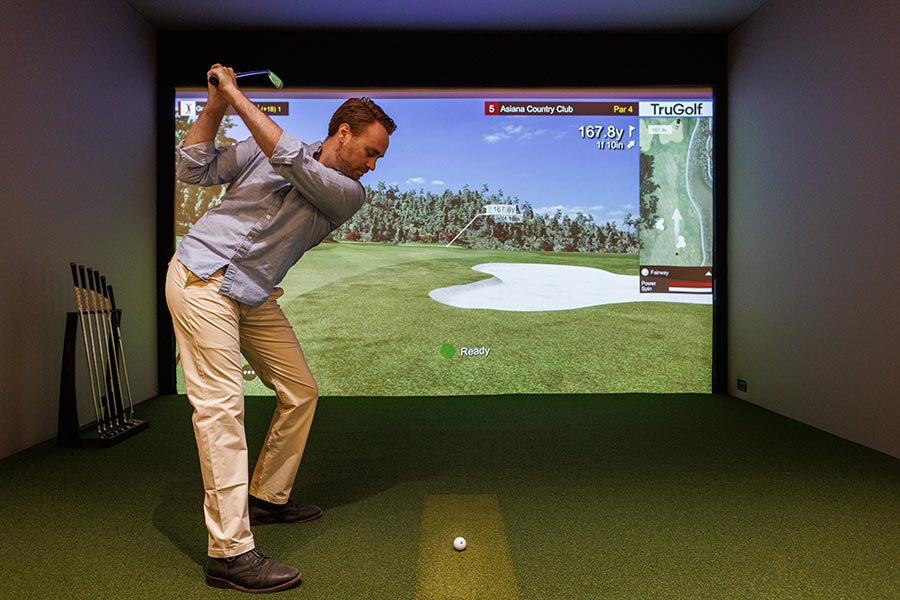
Finding the perfect balance between serious skill development and home entertainment often feels elusive for Atlanta homeowners who love golf. Choosing a modern golf simulator means more than just fun swings—it means getting detailed, measurable feedback that can improve your game right from your own living room. With high-quality data capture systems and seamless smart home integration, these simulators bring professional-level training and immersive play into your everyday routine, making every session both productive and enjoyable.
Table of Contents
- Golf Simulators And Modern Training Basics
- Exploring Simulator Types And Core Features
- How Golf Simulators Analyze Swing Performance
- Smart Home Integration For Atlanta Homes
- Costs, Installation Needs, And Space Planning
- Common Mistakes And Safety Precautions
Key Takeaways
| Point | Details |
|---|---|
| Importance of Swing Data | Golf simulators provide precise measurements of swing mechanics, enabling focused skill development rather than random practice. |
| Choosing the Right Simulator | Understanding the different types of simulators—photometric, radar-based, and infrared—helps homeowners make informed choices based on space and budget. |
| Space and Cost Considerations | Proper planning for installation costs and space requirements is crucial to avoid common pitfalls and ensure an effective training environment. |
| Safety and Maintenance | Regular maintenance and safety checks are essential for a reliable and safe simulator experience, preventing costly repairs and ensuring proper functionality. |
Golf Simulators and Modern Training Basics
Golf simulators have moved beyond novelty entertainment into serious training tools that Atlanta homeowners can use to develop real skills without leaving their properties. Unlike casual games on your phone, modern simulators capture detailed swing data and provide actionable feedback that mirrors what you’d get from a professional instructor. The technology tracks your club path, swing speed, face angle, and countless other variables that determine whether your shot lands in the fairway or the rough.
At their core, golf simulators work by combining advanced sensor technology with sophisticated software algorithms. When you swing a club in front of a launch monitor or camera system, the simulator measures your swing mechanics in real time. High-quality data capture systems that provide kinematic and dynamic models of your swing have become standard in serious home training setups, allowing you to understand exactly what your body is doing during the motion. This isn’t guesswork or vague encouragement from a simulator that just counts your strokes. You’re seeing precise measurements of club head speed, spin rate, launch angle, and ball flight characteristics. For Atlanta homeowners serious about improving their game, this level of detail transforms practice from repetitive swinging into targeted skill development.
The practical advantage becomes clear when you compare home simulator training to traditional range sessions. At the range, you hit ball after ball with minimal feedback beyond whether you think the shot felt good. With a simulator, every swing generates measurable data that you can review, analyze, and use to make adjustments. You can practice specific scenarios that frustrate you—like hitting a draw from a tight lie or managing a 150-yard approach shot. You can play virtual rounds on actual courses without traveling. The system records your swing patterns over time, showing you whether your adjustments are actually working or just feeling different. This data-driven approach to practice, combined with physical conditioning work, creates a more efficient training program than random balls at a driving range.
The training basics you’ll encounter in any simulator boil down to understanding your swing profile and using feedback to make corrections. Most systems let you analyze different parts of your game separately, zooming into your driver swing one session and then focusing on iron consistency the next. You’ll start recognizing patterns in your data that explain your on-course results. Maybe your club face is closing too much at impact, or your swing plane is too steep, or your weight transfer isn’t happening at the right moment. These are the kinds of insights that matter for real improvement, and modern simulators make them visible and quantifiable.
Pro tip: Start your simulator training by recording a baseline of your current swing on multiple clubs, then review this data monthly to track whether your practice changes are producing measurable improvements in consistency and mechanics.
Exploring Simulator Types and Core Features
Golf simulators aren’t all built the same way. Understanding the different types helps you choose the right system for your Atlanta home, because the technology underneath determines what kind of data you get and how accurately the system tracks your swing. The three main technological categories are photometric systems, radar-based systems, and infrared setups. Each has distinct advantages depending on your space, budget, and training priorities.
Photometric simulators use high-speed cameras to capture your swing motion and ball flight. These camera-based systems excel at precision and work beautifully in smaller spaces like a spare bedroom or finished basement. They photograph your swing from multiple angles, allowing the software to reconstruct your club path and calculate exactly where your ball will go. Radar simulators take a different approach by using Doppler radar technology to track the ball’s flight after impact. These systems capture more detailed information about the ball’s trajectory and are typically more portable, though they can struggle with accuracy indoors due to reflections. Infrared systems offer the most affordable entry point and simpler setups, but they sacrifice some precision in the data they collect. For serious Atlanta homeowners who want detailed swing metrics including club head speed, launch angle, and spin rate, photometric systems have become the preferred choice.
Here’s a quick comparison of the main golf simulator technologies and what makes each unique:
| Technology Type | Best For | Main Measurement Approach | Limitation in Home Use |
|---|---|---|---|
| Photometric | Small indoor spaces | High-speed cameras | Needs controlled lighting |
| Radar-based | Versatile portability | Doppler radar to track ball | Less accurate in small rooms |
| Infrared | Budget installations | Infrared light gates | Lower precision, fewer metrics |
Beyond the tracking technology, simulators vary by their specific function. Full-swing systems let you hit actual golf shots into a screen and play complete rounds on virtual courses. These are the centerpiece of most home golf rooms and what most homeowners picture when they think of a simulator. Launch monitor kits are smaller, more compact setups that pair a tracking device with an enclosure, making them flexible for homes with limited space. Putting simulators focus exclusively on short-game training, letting you practice consistency on the green without needing room for a full swing. Many serious golfers actually combine systems, using a launch monitor for regular swing practice and a separate putting simulator for detailed short-game work.
Core features across all quality simulators include high-definition visuals that make your virtual rounds feel immersive and realistic. You should expect extensive course libraries so you’re not playing the same five holes repeatedly, plus comprehensive analytics that track your performance over time. Look for systems that offer coaching feedback and software subscription services, because that ongoing access to updated courses and analytics tools is where continuous improvement happens. The best home systems integrate smoothly with smart home automation, so your lighting, climate control, and audio system can respond to your training sessions.
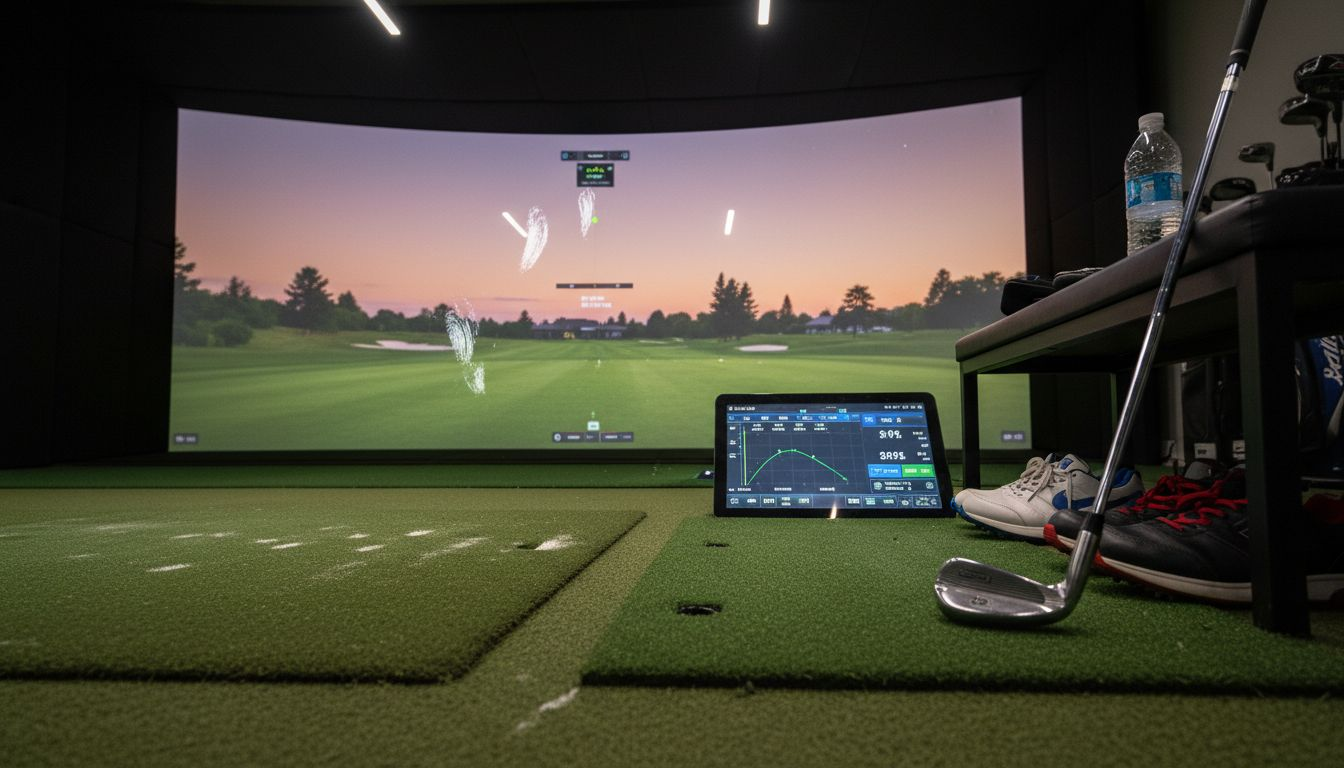
Pro tip: When evaluating simulators, test the user interface firsthand if possible, because poor screen responsiveness or confusing menu navigation can frustrate your practice sessions even if the tracking technology is excellent.
How Golf Simulators Analyze Swing Performance
When you step up to swing in front of a golf simulator, you’re not just hitting a ball into a screen. You’re generating a wealth of biomechanical data that the system captures, analyzes, and converts into actionable coaching feedback. Modern simulators use sophisticated measurement technology to understand exactly what your body is doing during your swing, then compare those movements to optimal patterns. This analysis is what separates serious training from casual practice.
The core of swing analysis starts with tracking your body’s movements and the club’s path through space. Rotational kinematics of the pelvis and torso are critical factors that differentiate between amateur and professional swings, and quality simulators measure these rotations in three dimensions. When you swing, the system captures how your hips initiate the downswing, how your shoulders follow, and how these segments work together to generate power. The simulator also tracks your club head speed, the angle at which you present the club face to the ball, and the path your club takes through the hitting zone. All of this happens in milliseconds, yet the system records it with precision that would be impossible to detect with the naked eye.
Once the simulator captures your swing data, it processes that information through software algorithms that identify what’s working and what needs adjustment. You might see that your club face is open at impact, which explains why your shots fade right. Or the analysis might reveal that your weight isn’t transferring properly to your front foot, which limits your distance and consistency. The system displays this feedback in multiple formats. Some simulators show you a video overlay of your swing with reference lines showing ideal positions. Others present data in charts and graphs that track metrics over multiple sessions, so you can see whether your practice adjustments are actually producing results. The best systems provide both visual feedback and detailed metrics, allowing you to understand both what’s happening and why it matters.
What makes this analysis particularly valuable for Atlanta homeowners is the consistency and repeatability. Every time you practice at your simulator, you’re collecting comparable data. You can practice the same shot sequence one week and repeat it the next week, then compare the metrics to see if you’ve improved. This data-driven approach transforms practice from guesswork into targeted skill development. You’re not wondering if you’re getting better. You’re watching the numbers confirm it. For golfers serious about improvement, this feedback loop creates faster, more reliable progress than traditional range practice where you hit balls with minimal objective information.
Pro tip: Use your simulator’s session history feature to track three specific metrics over an eight-week period, such as club head speed consistency, launch angle accuracy, or impact location on the club face, and review the trends monthly to confirm your practice is moving in the right direction.
Smart Home Integration for Atlanta Homes
A golf simulator doesn’t exist in isolation within your home. The best installations connect seamlessly with your entire smart home ecosystem, creating an experience that feels intentional and sophisticated rather than like separate systems competing for your attention. When you’re training indoors, your lighting should adjust automatically to reduce glare on the screen. Your climate control should maintain the ideal temperature for athletic performance. Your audio system should deliver crisp feedback from the simulator without disturbing the rest of your home. This level of integration separates a room with a golf simulator from a truly optimized training environment.
Lighting automation plays a critical role in simulator performance. You want controlled illumination that eliminates distracting reflections on your screen while providing enough visibility to see your swing mechanics. Smart lighting systems can create custom scenes that activate when you start a training session, dimming ambient lights and adjusting color temperature to match the simulator’s display. Some advanced setups include motorized shades that close automatically, creating the dark environment that simulators need for optimal image quality. Automated shades and lighting work together to create conditions that mimic professional training facilities, and you control everything from your phone or a simple button press. Your lighting adjusts based on time of day, season, or personal preference, so you’re never manually managing individual switches.
Climate and audio systems complete the training environment. Golf training generates heat, and maintaining a comfortable temperature keeps you focused on your swing rather than feeling overheated. Your smart thermostat can create training mode that maintains ideal conditions, then automatically return to your normal preferences when you finish. Audio integration ensures that swing feedback, course sounds, and coaching cues come through clearly without overpowering your home’s other audio zones. Professional-grade simulators often connect with whole-home audio systems so you hear the satisfying crack of a well-struck shot with the fidelity it deserves. Whole home integration systems coordinate all these elements so your golf room functions as a unified space rather than a collection of disconnected gadgets.
For Atlanta homeowners investing in a golf simulator, smart home integration transforms the space into something genuinely premium. You’re not just adding a training tool. You’re creating an environment that adapts to your needs, responds to your presence, and removes friction from your practice sessions. When everything works together seamlessly, you focus entirely on your training rather than managing technology. That’s when real improvement happens.
Pro tip: Create two separate smart scenes for your golf room: one for intense training sessions with bright, focused lighting and cool temperature settings, and another for casual play mode with relaxed atmosphere lighting and slightly warmer conditions, then switch between them based on your practice goals.
Costs, Installation Needs, and Space Planning
Installing a golf simulator in your Atlanta home requires careful planning across three interconnected areas: understanding what the project costs, knowing what installation actually involves, and honestly assessing whether your available space can accommodate the system properly. Many homeowners jump into purchasing equipment without thinking through these factors, then face disappointment when they realize their room isn’t suitable or the final bill exceeds their budget. Spending time upfront on planning prevents expensive mistakes and ensures you end up with a training space that genuinely works for your needs.
Costs for golf simulators vary dramatically based on equipment quality and installation complexity. Entry-level systems might start around $5,000 to $8,000 and include a launch monitor, impact screen, and basic enclosure. Mid-range professional setups typically range from $15,000 to $30,000 and include advanced tracking technology, high-quality projection systems, and custom-built enclosures. High-end installations can exceed $50,000 when you factor in premium equipment, smart home integration, custom turf, and professional-grade lighting and audio systems. These prices don’t include ongoing costs like software subscriptions, annual maintenance, or eventual equipment upgrades. Professional simulator installation in Atlanta typically includes equipment assembly, electrical setup, software configuration, and space customization, with installers addressing everything from impact screen positioning to custom enclosure construction. The total investment reflects not just equipment but the expertise required to get everything working together seamlessly.
Your available space determines what type of system makes sense and how much customization you’ll need. A full-swing simulator requires a minimum of 10 feet of depth to accommodate a proper swing without hitting walls, though 12 to 14 feet is ideal. Width should be at least 8 feet to give you comfortable standing room and clearance for your swing plane. Ceiling height matters too—nine feet minimum is standard, but some systems work fine with eight feet if you’re conscious of your swing height. Many Atlanta homes have basements, spare bedrooms, or bonus rooms that can work beautifully, but awkward layouts, low ceilings, or structural elements like beams require creative solutions. A professional installer evaluates your space realistically and recommends whether modifications like dropping a ceiling section or relocating a wall make sense. Sometimes a dedicated closet or corner room is actually better than a large space with poor dimensions.
The installation process itself is more involved than simply unpacking equipment and plugging things in. Professional installers handle electrical upgrades to support equipment power needs, assemble complex tracking systems, calibrate sensors for accuracy, install enclosures and impact screens, configure software, and integrate everything with your smart home systems. This process typically takes anywhere from two days for simpler setups to a week or more for comprehensive installations with custom work. Quality installers include testing and calibration to ensure your simulator is measuring swings accurately before you ever take a practice swing. They also establish maintenance plans and support relationships so you have help when questions arise down the road.
Understanding installation factors at a glance can help you plan effectively:
| Factor | Typical Requirement | What to Consider |
|---|---|---|
| Minimum Dimensions | 10 ft (L) x 8 ft (W) x 9 ft (H) | Measure your full swing motion |
| Entry-Level Cost | $5,000–$8,000 | May lack advanced features |
| Pro-Level Cost | $15,000–$30,000+ | Includes custom installation |
| Installation Duration | 2–7 days | More for room modifications |
Pro tip: Measure your available space carefully, mark out the swing footprint with tape on the floor, and take videos of yourself actually swinging in that space before committing to an installation, ensuring you’ll have genuinely comfortable room for your natural swing motion.
Common Mistakes and Safety Precautions
Golf simulators create a controlled training environment, but that controlled environment only works if you set it up correctly and use it responsibly. Many Atlanta homeowners make preventable mistakes that undermine both safety and training effectiveness. These range from simple oversights like inadequate lighting that makes ball tracking unreliable, to more serious issues like choosing systems that don’t match their skill level or installing equipment in spaces too cramped for safe swings. Understanding what typically goes wrong helps you avoid these pitfalls and create a genuinely safe, functional training space.
One of the most common mistakes is underestimating your actual space needs. You think you have enough room, but then you start swinging and realize your follow-through is hitting walls or your backswing is restricted. This creates tension during practice because you’re adjusting your natural swing to fit the space rather than improving your actual swing mechanics. Poor lighting is another frequent problem. Many homeowners install simulators in dim corners or basements where the camera or sensor system struggles to track accurately. When your system can’t see your swing clearly, it generates bad data, giving you feedback that misrepresents what you’re actually doing. This leads to practice based on incorrect information, which reinforces flawed technique. Proper simulator setup requires careful attention to lighting conditions, space dimensions, and equipment calibration to ensure reliable performance.
Safety considerations matter more than many casual users realize. Your impact screen needs to be genuinely sturdy and installed securely, because sustained impacts from repeated swings create real stress on the equipment. A screen that’s loosely mounted or beginning to deteriorate can fail suddenly, allowing balls to escape the hitting zone. Your enclosure walls should be solid enough to contain wild shots, and you need adequate clearance from any obstacles that could become hazards if the ball ricochets unexpectedly. Safety protocols including sturdy enclosures and protective equipment significantly reduce injury risk and increase user confidence in your training environment. Regular maintenance prevents deterioration before it becomes dangerous. Software updates ensure your tracking system performs accurately. User discipline about swing zones and impact containment creates sustainable, injury-free practice habits.
Another common mistake is poor equipment selection. Beginners sometimes purchase advanced systems designed for skilled golfers, then get frustrated by the overwhelming data and feedback. Conversely, experienced players sometimes buy entry-level systems that lack the detailed metrics they need to improve. Matching your equipment to your actual skill level and training goals prevents wasted money and frustration. Finally, many people install simulators and then neglect basic maintenance. Impact screens need periodic inspection for damage. Sensors need occasional cleaning. Software needs updates. Neglecting these small maintenance tasks creates reliability problems that eventually become expensive repairs. Establishing a simple maintenance routine at the beginning prevents these issues before they develop.
Pro tip: Schedule a professional safety inspection of your simulator setup annually, asking the technician to specifically check screen integrity, enclosure stability, and sensor calibration, then document any recommendations for repairs or upgrades before issues become serious.
Elevate Your Home Golf Training with Expert Technology and Integration
If you are ready to move beyond casual swings and want to embrace the precise metrics and immersive feedback that golf simulators offer, Atlanta Home Theater is your trusted partner. We understand the challenges of creating a perfect training environment that includes controlled lighting, climate comfort, and top-tier swing analytics. Whether you need high-quality photometric tracking, seamless smart home integration, or custom-built simulator rooms, our experienced team delivers solutions tailored to your Atlanta home.
Discover how professional installation and smart automation can transform your golf practice into a truly focused and data-driven experience. Learn more about optimizing sound and smart home features from our Sound Advice Archives – Atlanta Home Theater. Ready to redesign your space with expert guidance? Visit Atlanta Home Theater today and schedule your consultation to start hitting better shots with confidence and precision.
Frequently Asked Questions
What are the main types of golf simulators available?
The main types of golf simulators include photometric systems that use high-speed cameras, radar-based systems that track the ball’s flight using Doppler radar, and infrared systems that utilize light gates for measurements. Each type has its own unique benefits depending on your training needs and available space.
How can golf simulators improve my swing performance?
Golf simulators capture detailed swing data, including club head speed, face angle, and more. By analyzing this data, you can identify areas for improvement and track your progress over time, enabling targeted skill development rather than guesswork.
What are the essential features to look for in a golf simulator?
Essential features include high-definition visuals, an extensive course library, performance analytics, and coaching feedback capabilities. Additionally, consider systems that support smart home integration for a more immersive and convenient training experience.
How much space do I need for a golf simulator setup?
A full-swing golf simulator typically requires at least 10 feet of depth, 8 feet of width, and a minimum ceiling height of 9 feet to accommodate a proper swing. Careful measurement of the available space is crucial to ensure a comfortable and safe training environment.
Recommended
- Golf Simulators: How Technology Recreates Real Courses – Atlanta Home Theater
- From Hobby to Mastery: Using Simulators to Improve Your Golf Swing or Racing Skills – Atlanta Home Theater
- 7 Key Golf Simulator Benefits for Smart Homeowners – Atlanta Home Theater
- Complete Guide to Golf Simulators at Home – Atlanta Home Theater