Setting up a luxury golf simulator in your Atlanta home is more than just a hobby—it’s about combining sophisticated entertainment with the convenience of smart home integration. Golf simulator content streaming delivers immersive virtual courses, accurate ball physics, and
high-resolution gameplay visuals directly to your preferred display without needing bulky hardware in every room. This technology transforms how you practice and play, offering seamless flexibility and responsive performance for indoor golf enthusiasts who demand both style and functionality.
Table of Contents
Key Takeaways
| Point |
Details |
| Golf Simulator Streaming Technology |
Interactive golf simulation software processes on a powerful machine, providing immersive gameplay without the need for high-end local hardware. |
| Integration with Smart Homes |
Golf simulators seamlessly fit into existing smart home systems, allowing for automated adjustments in lighting and climate during gameplay. |
| Importance of Software Quality |
High-quality streaming software is essential for realistic physics, extensive course libraries, and responsive gameplay without lag. |
| Avoiding Common Mistakes |
Proper planning, security awareness, and understanding equipment compatibility are crucial for a successful golf simulator streaming setup. |
Defining golf simulator content streaming
Golf simulator content streaming is the delivery of interactive golf simulation software and visuals from a host computer or cloud server directly to your display device. Rather than running everything locally, the simulation processes on a powerful machine and sends you the real-time video and gameplay experience. You get to play immersive rounds without needing an expensive gaming PC in your entertainment room.
At its core, this technology handles three critical functions:
- Streams realistic golf course environments with accurate ball physics
- Delivers high-resolution visuals and smooth frame rates to your device
- Processes your swing inputs and sends back responsive gameplay feedback
Think of it like watching cable TV, except you’re controlling the action. The heavy computation happens elsewhere, and you receive crystal-clear imagery that lets you see every detail of the fairway, rough, and green.
Why Streaming Matters for Your Home Setup
Cloud-based delivery eliminates the need for tournament-grade gaming hardware sitting in your golf simulator room. You can stream rich simulation content from a centralized server to any connected display—your living room TV, a bedroom setup, or even a guest house entertainment area.
This approach offers Atlanta homeowners several practical advantages:
- Flexibility to place your simulator display anywhere on your smart home network
- No massive gaming PC footprint eating up valuable space
- Easy upgrades to new courses and features without replacing local hardware
- Consistent performance across multiple rooms if you have multiple systems
The technology works by streaming
interactive golf simulation software and gameplay visuals, creating an immersive virtual golfing experience right in your home. Whether you’re practicing your swing or competing with friends online, the simulation runs remotely while you enjoy responsive, lag-free play.
Real-World Integration with Your Smart Home
For affluent Atlanta homeowners already invested in smart home automation, golf simulator content streaming fits seamlessly into your existing ecosystem. Your system can integrate with
automated lighting and climate control, adjusting the ambiance as you play your virtual round.
Imagine dimming the lights to match sunset conditions on Pebble Beach, or adjusting room temperature as you make your way through eighteen holes.
Golf simulator streaming transforms your home entertainment by combining responsive gameplay with the flexibility of cloud-based delivery—no dedicated gaming PC required.
Pro tip: When planning your simulator setup, ensure your home network supports consistent bandwidth to your entertainment space; most quality streaming requires stable 50+ Mbps connections for optimal visual clarity and responsive gameplay without lag.
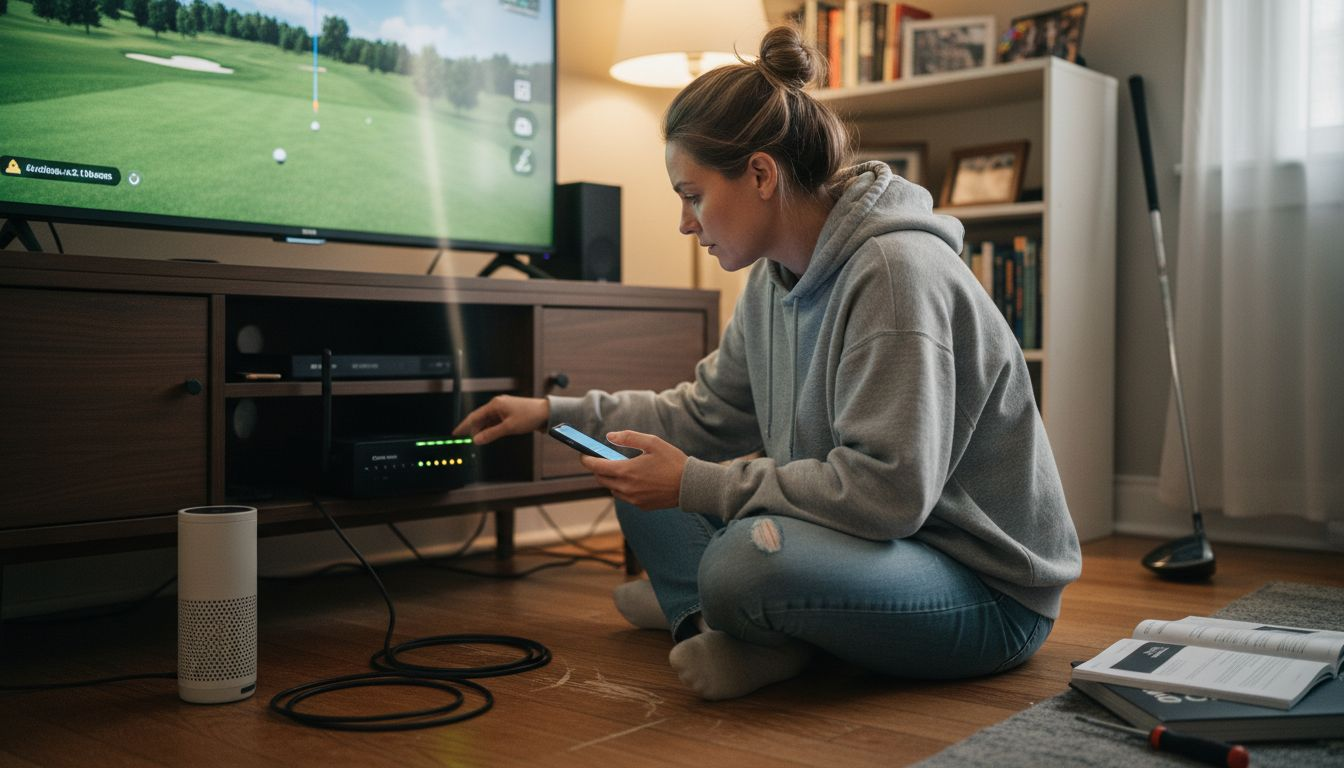
Types of streaming devices and sources
Your golf simulator can stream to virtually any device connected to your home network. The flexibility here is what makes modern streaming so attractive for Atlanta homeowners building sophisticated entertainment spaces.
Common streaming devices include:
- Smart TVs (Apple TV, Roku, Samsung Smart TV)
- Tablets and smartphones (iPad, Android devices)
- Desktop and laptop computers (Windows, Mac)
- Specialized streaming boxes and single-board computers
- In-wall displays and projection systems
Each device offers different benefits depending on where you’re placing your simulator and how you want to experience it.
Here’s a comparison of common streaming device types and their ideal usage scenarios:
| Device Type |
Strengths |
Potential Limitations |
| Smart TV |
Large screen, easy installation |
Limited app support, fixed location |
| Tablet or Smartphone |
Portability, touch controls |
Small display, battery dependence |
| Desktop/Laptop Computer |
Powerful processing, wide compatibility |
Bulky, less flexible for placement |
| Streaming Box/Projector |
Integrates with AV systems, flexibility |
May need additional peripherals |
Streaming Sources: Where Your Game Comes From
The source device is where the actual simulation runs. This is typically a
powerful gaming PC or dedicated server that hosts your golf simulator software. Rather than your display device doing the heavy lifting, the source handles all the computational demands.
You can stream from diverse client devices including gaming PCs, Mac computers, or even cloud-based servers. The source device connects to your client display over your local network or internet connection, sending video and receiving your swing inputs.
Multi-User Streaming Environments
For more advanced setups,
virtual environment servers can support multiple simultaneous players. These systems enable household members or guests to connect their own devices and play together, accessing multi-user 3D application streaming capabilities.
This is particularly appealing for Atlanta homeowners who want to host tournaments or casual rounds with family and friends across different rooms.
Device Placement Flexibility
Because streaming separates the source computer from your display, you gain significant freedom in room design. Your powerful gaming PC can stay hidden away—maybe in a media closet or home theater equipment room—while your display mounts prominently in your golf room.
Consider these placement scenarios:
- Main simulator room with 65-75 inch display
- Bonus room or game room with tablet-based practice mode
- Guest house with secondary streaming setup
- Outdoor entertainment area with weatherproof streaming box
The best streaming setup matches your device to your space, with source computers hidden away and displays positioned for optimal visibility and play.
Pro tip: Choose your source device based on multiple simultaneous users and course library size; a dedicated gaming PC handles more players and complex environments better than consumer-grade hardware, ensuring smooth streaming across your smart home network.
Golf simulator streaming software essentials
The software powering your golf simulator is what transforms your game from basic practice into tournament-level competition. Quality streaming software handles everything from ball physics to course rendering while sending smooth video to your display device.
Top-tier golf simulator platforms provide several core capabilities:
- Hyper-realistic ball and club physics that match real-world performance
- Extensive course libraries with hundreds of playable tracks
- Multiplayer functionality for competitive rounds with friends
- Integration with launch monitors for precise swing data
- Support for efficient video encoding and streaming to your devices
Without solid software, even the most expensive hardware setup falls flat.
What Makes Software Essential
Your golf simulator software is the bridge between your swing input and the visual feedback you see on screen. It calculates ball trajectory, applies wind conditions, and renders course graphics in real-time.
Look for platforms offering hyper-realistic physics and large course libraries with launch monitor integration. This combination ensures accurate feedback while keeping gameplay immersive and engaging.
Key Software Features for Home Streaming
When selecting software for your Atlanta home setup, prioritize these elements:
- Launch monitor compatibility: Tracks your actual swing metrics
- Multi-course access: Variety prevents gameplay from becoming repetitive
- Low-latency streaming: Ensures responsive feel during your swing
- 4K support and high frame rates: Delivers crisp visuals up to 120 FPS
- Multiplayer support: Enables household tournaments and guest play
Each feature contributes to an experience that feels less like a simulation and more like actually playing golf.
Streaming software must balance visual quality with network efficiency. The best platforms use
adaptive bitrate encoding, adjusting quality based on your available bandwidth.
This means your system performs smoothly whether you have a 50 Mbps connection or gigabit fiber. Your display stays responsive, and motion remains fluid.
Premium golf simulator software delivers tournament-grade physics and immersive graphics while streaming efficiently to any device on your smart home network.
Pro tip: Start with software that includes trial periods before committing; test how each platform’s swing feedback feels with your specific launch monitor and streaming setup to ensure the physics engine matches your expectations.
Integrating streaming with home entertainment systems
Your golf simulator performs best when it connects seamlessly with your existing home entertainment setup. Think of it as one component within a larger ecosystem of audio, video, and smart home controls.
Proper integration means your simulator shares bandwidth, displays, and audio systems with your other entertainment without conflicts. This approach maximizes your investment in premium AV equipment.
Connecting to Your Audio-Visual Infrastructure
Most affluent Atlanta homes already have quality sound systems, projection setups, or large-screen TVs. Your golf simulator should leverage this existing infrastructure rather than operate in isolation.
Integrating golf simulator streaming with TVs and sound systems creates immersive audio-visual feedback that enhances gameplay realism. Your existing AV receiver can handle both your home theater content and simulator video without requiring separate equipment.
Key integration points include:
- Smart AV receivers that switch between entertainment modes automatically
- Multi-zone audio systems that deliver immersive sound during play
- Network connectivity across all devices on your home network
- Centralized control systems managing both simulator and entertainment feeds
This unified approach eliminates tangled cables and competing systems.
Network Planning for Stable Streaming
Effective AV system planning requires network connectivity and device compatibility to ensure seamless switching between entertainment modes. Your golf simulator’s streaming demands shouldn’t compromise your home theater’s performance or your family’s Wi-Fi speed.
Dedicated networking prevents bottlenecks. Many Atlanta homes benefit from installing a secondary network line specifically for high-bandwidth entertainment streaming.
Smart Home Control Integration
When your simulator integrates with your smart home system, you gain automated convenience. Imagine stepping into your golf room and having the system automatically adjust lighting, temperature, and display settings.
Control system programming ensures everything works together:
- Lighting dims to match course conditions
- Sound system switches to simulator audio inputs
- Climate control maintains comfortable temperature during play
- Security system disables unnecessary alerts during your round
Seamless integration transforms your golf simulator from a standalone device into a natural extension of your home entertainment ecosystem.
Pro tip: During your initial setup consultation, discuss network architecture with your AV specialist; ensuring gigabit ethernet runs or mesh Wi-Fi 6 coverage to your simulator room prevents streaming interruptions and maintains 4K video quality during critical competitive moments.
Mistakes to avoid with golf simulator streaming
Golf simulator streaming setups fail most often because of preventable mistakes, not equipment limitations. Understanding these pitfalls helps you build a system that performs reliably for years.
The good news? Most errors are easy to avoid once you know what to watch for.
For quick reference, here is a summary of major pitfalls to avoid during setup:
| Mistake Category |
Example Issue |
Resulting Problem |
| Security |
Unofficial software downloads |
Exposure to malware or fraud |
| Technical Setup |
Insufficient network planning |
Lag and unstable video |
| Audio/Video |
Incompatible device specifications |
Poor visuals or audio desynchronization |
| Budget/Planning |
Overlooking total system costs |
Delays or incomplete installation |
Security and Software Mistakes
This is where many homeowners stumble.
Downloading streaming software only from reputable sources protects you from malware and fraud that compromises your system. Avoid third-party app stores or suspicious activation prompts.
Common security mistakes include:
- Installing software from unofficial websites or torrents
- Ignoring update notifications for streaming clients
- Using weak passwords on simulator accounts
- Sharing login credentials across family members without proper access controls
These shortcuts create vulnerabilities that expose your home network and personal data.
Technical Setup Errors
Poor network planning causes most streaming frustrations. Many homeowners underestimate bandwidth demands, placing their simulator on a standard Wi-Fi network already handling streaming video and work-from-home traffic.
Technical mistakes include improper network setup causing lag, neglecting device compatibility issues, and failing to optimize streaming settings. Your golf simulator needs priority network access to maintain consistent 4K video at high frame rates.
Avoid these configuration errors:
- Connecting simulator to 2.4 GHz Wi-Fi instead of dedicated 5 GHz or 6 GHz
- Overcrowding networks with too many simultaneous devices
- Ignoring resolution and frame rate settings that exceed your connection speed
- Placing the source computer too far from your router or in a shielded location
Display and Audio Integration Mistakes
Mismatched equipment creates frustrating incompatibilities. Not all streaming devices support 4K resolution at 120 FPS, and not all displays have the right input ports.
Verify
device compatibility before purchasing components. Test audio synchronization during setup—lag between video and sound ruins immersion.
Budget and Planning Mistakes
Underestimating total costs leads to incomplete systems. Many Atlanta homeowners buy the simulator software and display, then discover they need network upgrades, professional installation, and audio integration.
Avoiding streaming mistakes starts with proper planning, security awareness, and realistic budget expectations before installation begins.
Pro tip: Work with a professional installer familiar with high-bandwidth entertainment streaming; they identify network bottlenecks and hardware incompatibilities before they become expensive problems during your first competitive round.
Elevate Your Home Entertainment with Expert Golf Simulator Streaming Solutions
Struggling with unreliable streaming performance or complicated tech setups for your golf simulator? This article highlights common pain points like network instability, device compatibility, and integration challenges that can turn an exciting home golf experience into frustration. At Atlanta Home Theater, we understand how crucial seamless streaming, accurate ball physics, and immersive visuals are for turning your golf room into the ultimate entertainment space. With over 25 years of expertise, we specialize in delivering smart home integration that effortlessly combines your golf simulation with automated lighting, audio, and climate control for a truly immersive round of golf.
Ready to transform your home into an entertainment haven where every swing counts? Discover our tailored solutions in the
Sound Advice Archives – Atlanta Home Theater and explore how our team of trained professionals can customize a state-of-the-art golf simulator experience that fits your lifestyle. Don’t wait until connectivity issues disrupt your game. Schedule your consultation today at
Atlanta Home Theater and take the first step toward perfect streaming and home automation designed just for you.
Frequently Asked Questions
What is golf simulator content streaming?
Golf simulator content streaming is the delivery of interactive golf simulation software and visuals from a powerful computer or cloud server directly to your display device, allowing you to play immersive rounds without needing a dedicated gaming PC.
How does streaming enhance home entertainment?
Streaming eliminates the need for costly hardware and provides flexibility in display placement, easy upgrades, and consistent performance across multiple devices, creating an immersive golfing experience in various settings within your home.
What types of devices can stream golf simulator content?
Your golf simulator can stream to a variety of devices, including smart TVs, tablets, smartphones, desktop and laptop computers, specialized streaming boxes, and in-wall displays, depending on your setup preferences.
What should I consider when choosing golf simulator streaming software?
Look for software that supports launch monitor compatibility, provides access to multiple courses, ensures low-latency streaming, offers high-resolution visuals, and includes multiplayer capabilities for a comprehensive golfing experience.
Recommended
